 uyuyorumstore
um-multicharacter-xviHow-to Guides
Tebex
How to sell extra character slots with Tebex
Path
main.lua
-- Extra slots bought on Tebex (needs sv_tebexSecret)
tebex = true,

-- Store banner under the character list: your store address ('https://...'). '' = no banner
storeUrl = 'https://uyuyorumstore.com',
Create a Store
Go to Tebex, create an account and a store for your FiveM server.
Packages
Select the "Packages" section on the Tebex screen, then create your product.

Create a Package
Create a package for character slots. Set the package type to "Game Server Commands".

Configure the Command
addNewCharacterSlot {"transid":"{transaction}","extraSlot":1}
Replace the 1 with the number of slots this package gives.
Click the settings button and set "Execute the command even if the player is offline".

Secret Key
In your Tebex store, open Integrations and then Game Servers. Copy the Secret Key.
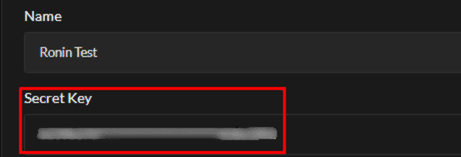
sv_tebexSecret "yoursecretkey"Store Banner
Put your store address in storeUrl, or '' to hide the banner.
How the Player Redeems
- The player buys the package on your store
- On the character screen, the player clicks a locked row
- The player enters the transaction id from the store receipt