 uyuyorumstore
Tebex
How to integrate Tebex with um-ronin-multicharacter
Path
Create a Tebex Account
Go to Tebex and create an account.
Create a Store
After creating an account, create a store for your FiveM server.
Packages
Select the "Packages" section on the tebex screen, then create your product.

Create a Package
Create a package for character slots or any other item you want to sell. Set the package type to "Game Server Commands".

Configure the Command
In the command field, enter the command that will be executed when a player purchases the package.
addNewCharacterSlot {"transid":"{transaction}", "extraSlot":1}
Replace the "1" in the command with the number of slots you want to add for that package.
Click the settings button and set "Execute the command even if the player is offline"

Get Your Secret Key
Go to the "Integrations" section of your Tebex store then click on the "Game Servers" tab.
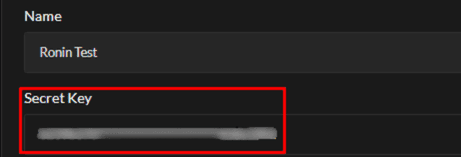
Copy your "Secret Key" from the API section.
Configure Your Server
Open server.cfg and paste the following at the very bottom:
sv_tebexSecret "yoursecretkey"